Proxmox Installation - Part I
Prerequisites & Hardware Requirements
If this is your first foray into the wonderful world of the Proxmox Virtual Environment, congratulation. You have opted for a lifetime of chasing the white rabbit. Down the hole you go. We mustn't be late.
You will need:
- A working computer with a functional OS (I'm using MacOS)
- A thumb drive with at least 2 GB of storage space but opt for something large, just in case. Shouldn't be hard as most usb drives these days are at least 8GB
- A Host machine -- this could be an old computer you have laying around, or a dedicated machine or server you own or have built. My initial node exists on a server built of consumer grade, high efficiency parts. The node onto which I'm installing proxmox here is a Protectlii Vault. (Yes I should be using it as a firewall appliance. No, I don't want to. Not now at least)
- A keyboard that connects to your host machine - ideally wired to ensure it is recognized in the bios / at startup
Preparing your Installation Media
-
On your main computer, head to the Proxmox Download Page to get the latest version of Proxmox. As of this writing, the version listed is the Proxmox VE 8.2. ISO
-
You will need to create the installation media using dedicated software for the job. One of the most popular is Etcher. If you don't have a copy of Balena Etcher, go grab a copy.
-
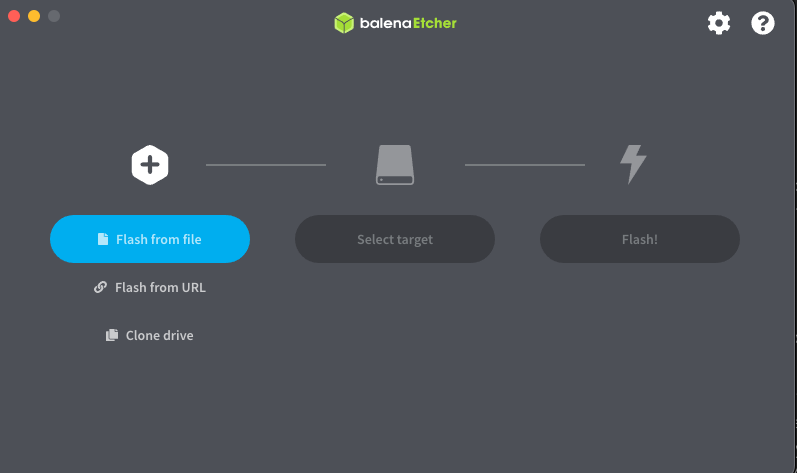
Once downloaded and installed on your system, you'll need to flash the ISO to your thumb drive. Select Flash from file
-
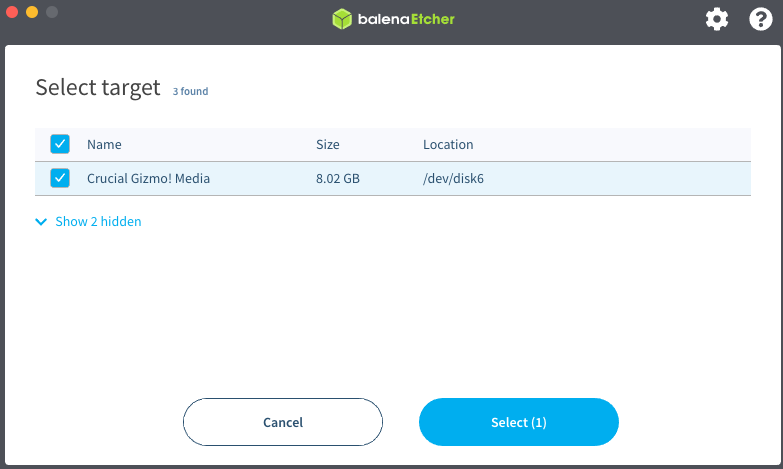
A popup window will appear allowing your to navigate to your Proxmox ISO. Find it and select it. You'll then be invited to choose a target (i.e. you removable drive).
-
Click Flash and wait for the process to complete.